Host synchronized
Movement follows the DAW tempo and transport, with free-running audio audition while stopped.
Movement effect
Turn a sustained sound into a living phrase.
Place SEQUA after LUMEN, or any instrument, on the same Ableton track. It reshapes the audio into tempo-locked patterns without forcing a second MIDI track.
One-time purchase. Download by email. No activation key.
Beta · Apple Silicon · macOS 26 or later · VST3 only (not Logic Pro). Not Developer ID signed or notarized; manual macOS approval may be needed. Installation and refund policy.
Digital download · No activation key
One LUMEN phrase at 120 BPM, before and after SEQUA. Switch A/B without restarting the phrase. Playback RMS is matched so the comparison focuses on articulation.
A · Original
Open audio fileOne-time purchase. Download by email. No activation key.
Beta · Apple Silicon · macOS 26 or later · VST3 only (not Logic Pro). Not Developer ID signed or notarized; manual macOS approval may be needed. Installation and refund policy.
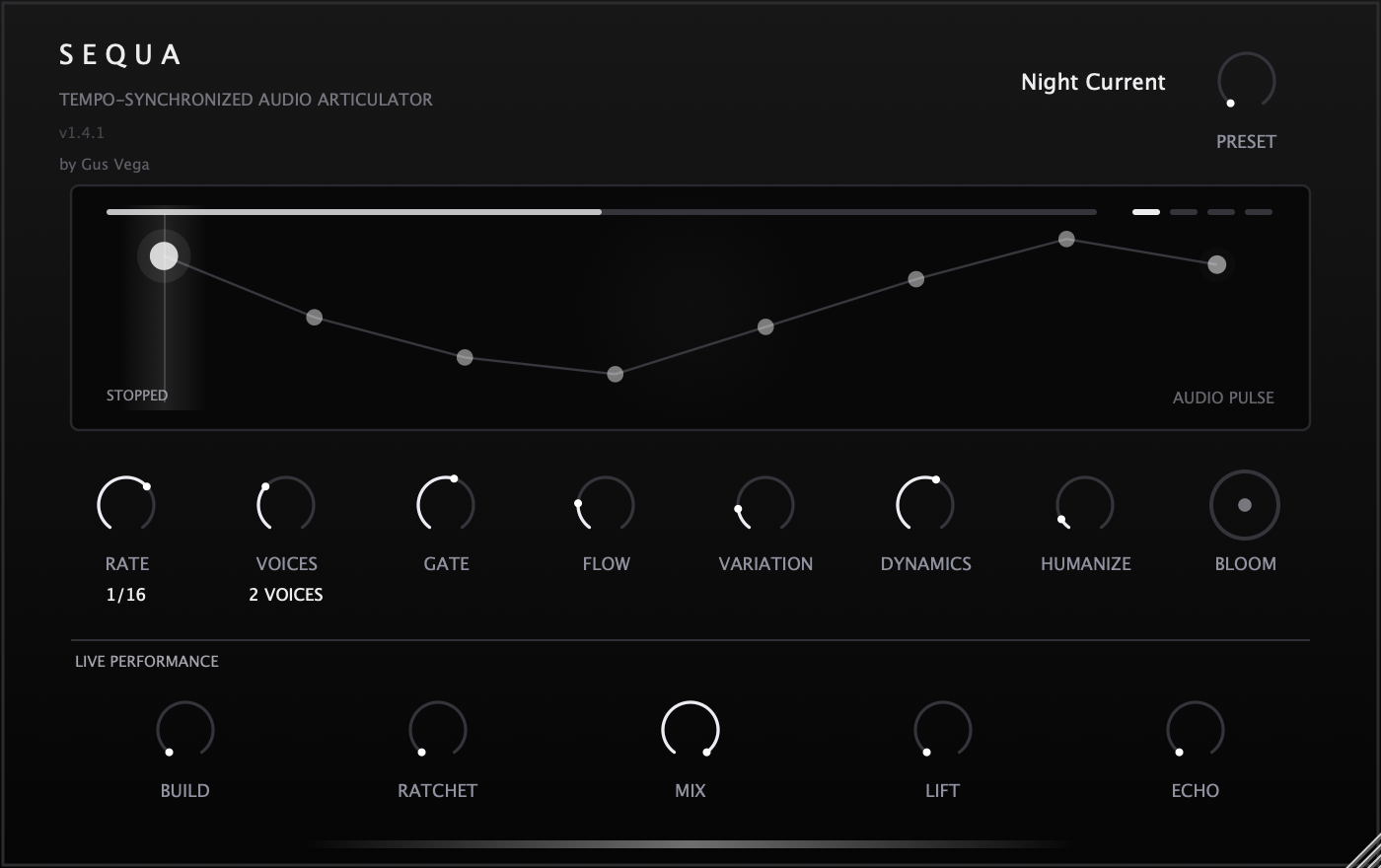
The original eight phrase controls are joined by Build, Ratchet, Mix, Lift, and Echo, plus a rotary selector for twelve factory programs. Audio keeps articulating for keyboard audition while the host is stopped; the visual timing freezes and playback returns to host sync.
The workflow
Instrument
Phrase controls
Build + Ratchet
Lift + Echo
Wet/dry mix
Audio output
Movement follows the DAW tempo and transport, with free-running audio audition while stopped.
Build, Ratchet, Mix, Lift, and Echo bring continuous control of tension and release.
Choose a starting groove with the preset knob, then shape it with the original eight phrase controls.
Mix blends back to the clean input; the defined neutral state preserves the source exactly.
Available now
Your purchase includes the plugin download and installation instructions, delivered by email. No activation key is required.
Engineering notes