Automatic slicing
Conservative onset detection finds playable moments without turning the waveform into visual clutter.
Find the instrument inside a recording
Drag in sound. Find the playable moments.
FORMA analyzes an audio file, finds its transients, and turns selected slices into a responsive instrument or clean, categorized one-shots.
One-time purchase. Download by email. No activation key.
Beta · Apple Silicon · macOS 26 or later · VST3 only (not Logic Pro). Not Developer ID signed or notarized; manual macOS approval may be needed. Installation and refund policy.
Digital download · No activation key
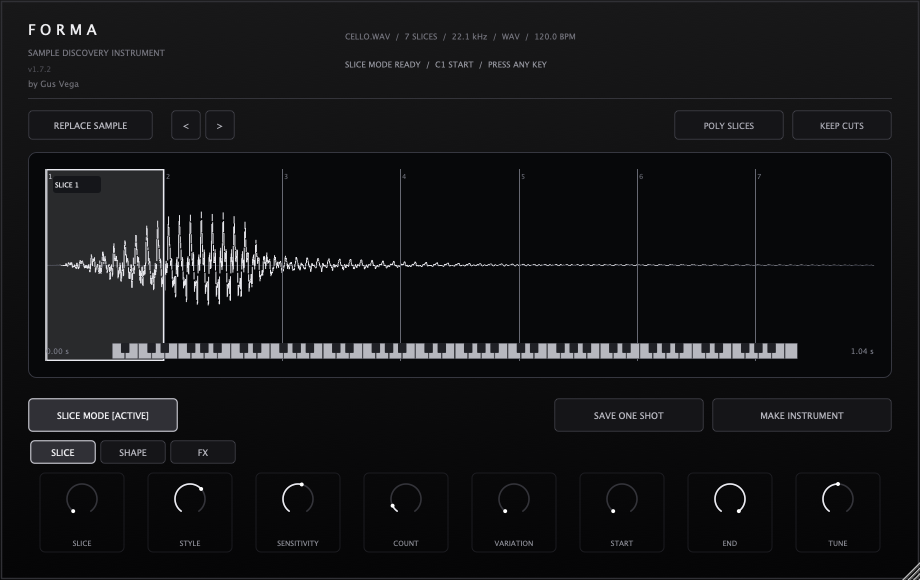
Drop in WAV, AIFF, FLAC, OGG, M4A, or CAF. FORMA detects up to 64 musical slices, maps them across the keyboard, and keeps start, end, tuning, level, and reverse settings with the session.
The workflow
Drag audio
Detect slices
Choose a hit
Shape
Play
Save one-shot
Conservative onset detection finds playable moments without turning the waveform into visual clutter.
Play slices polyphonically from C1 or build chromatic playback from the selected sound.
Tighten the hit, preserve its decay, add anti-click fades, and save a 24-bit WAV in one action.
Load your own audio, revisit recent samples, and export one-shots without another plugin.
Available now
Your purchase includes the plugin download and installation instructions, delivered by email. No activation key is required.
Engineering notes